
The cover sheet pulls information from the entry positioned at the top of the corresponding section in the editing panel.
By default, Allsorter can arrange Experience, Education and Certification entries in chronological order, with the most recent entry at the top. In this case, the cover sheet will use information from the candidate’s most recent experience, education or certification.
How can I change which entry appears on the cover sheet?
You can change the top entry in either of the following ways:
- Drag and drop the required entry to the top of the relevant section.
- Use the ordering buttons beside the section heading to choose either:
- Chronological order
- Original resume order
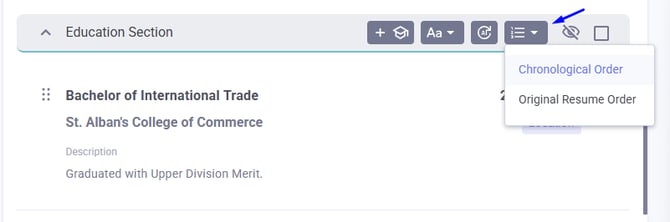
The cover sheet will use information from whichever entry appears at the top of that section.
Learn more about ordering resume information in Allsorter and editing sections in Allsorter.
If your template does not currently include these cover sheet fields, please contact Allsorter Customer Success. If you have a self-serve account or Template Access enabled, an Organisation Admin or Organisation Manager can also update the template.