
Allsorter will arrange the entries in the experience, education and certification sections chronologically for you by default. Entries will appear newest-first, with the most recent at the top.
Don't worry, though, you can still edit the order by simply dragging and dropping entries into their correct spots within the split-screen editor in Allsorter.
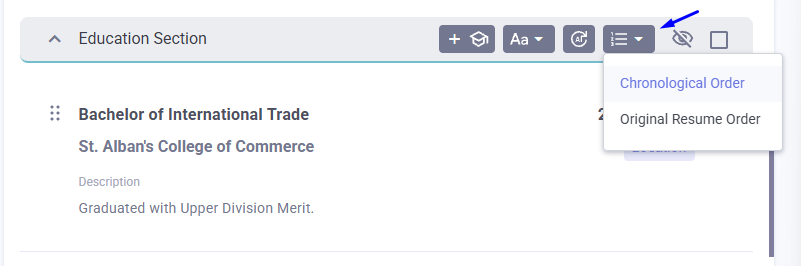
You can also use the ordering buttons provided with each section (Experience, Education, Certification) heading to choose between:
- chronological order
- original resume order
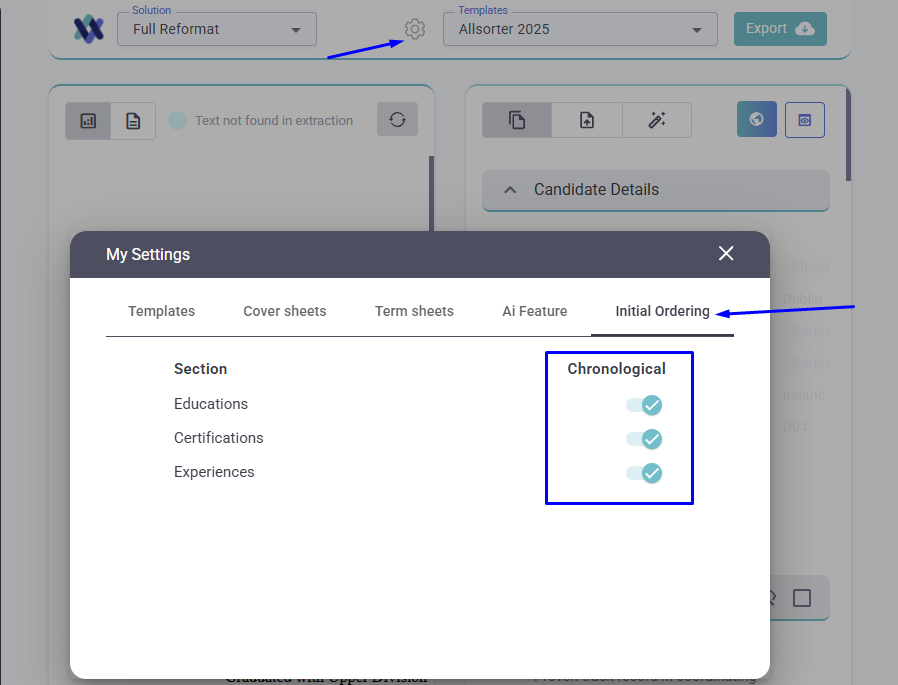
If you would like Allsorter to preserve the same sequence as the original CV every time, you can navigate to the Settings cog, choose "My Settings", open the "Initial Ordering" tab and toggle off chronological ordering for those sections.
If you need help with editing, check out our guide on how to do it here.