
Finding a Template
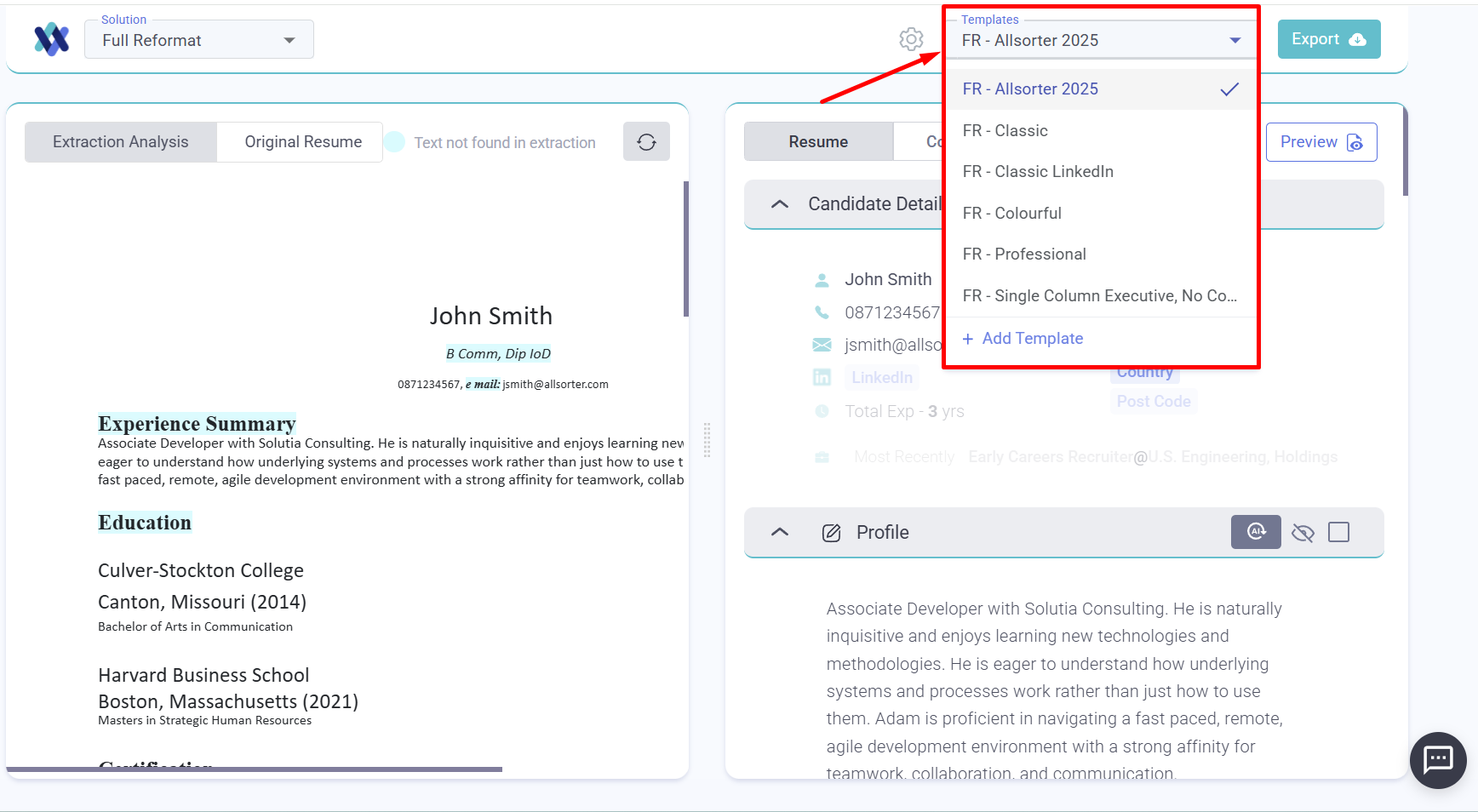
You will find the available Full Reformat (FR) templates in the top righthand corner of your screen when you are using the Full Reformat solution. Choose the one you need to use, edit, preview and export.
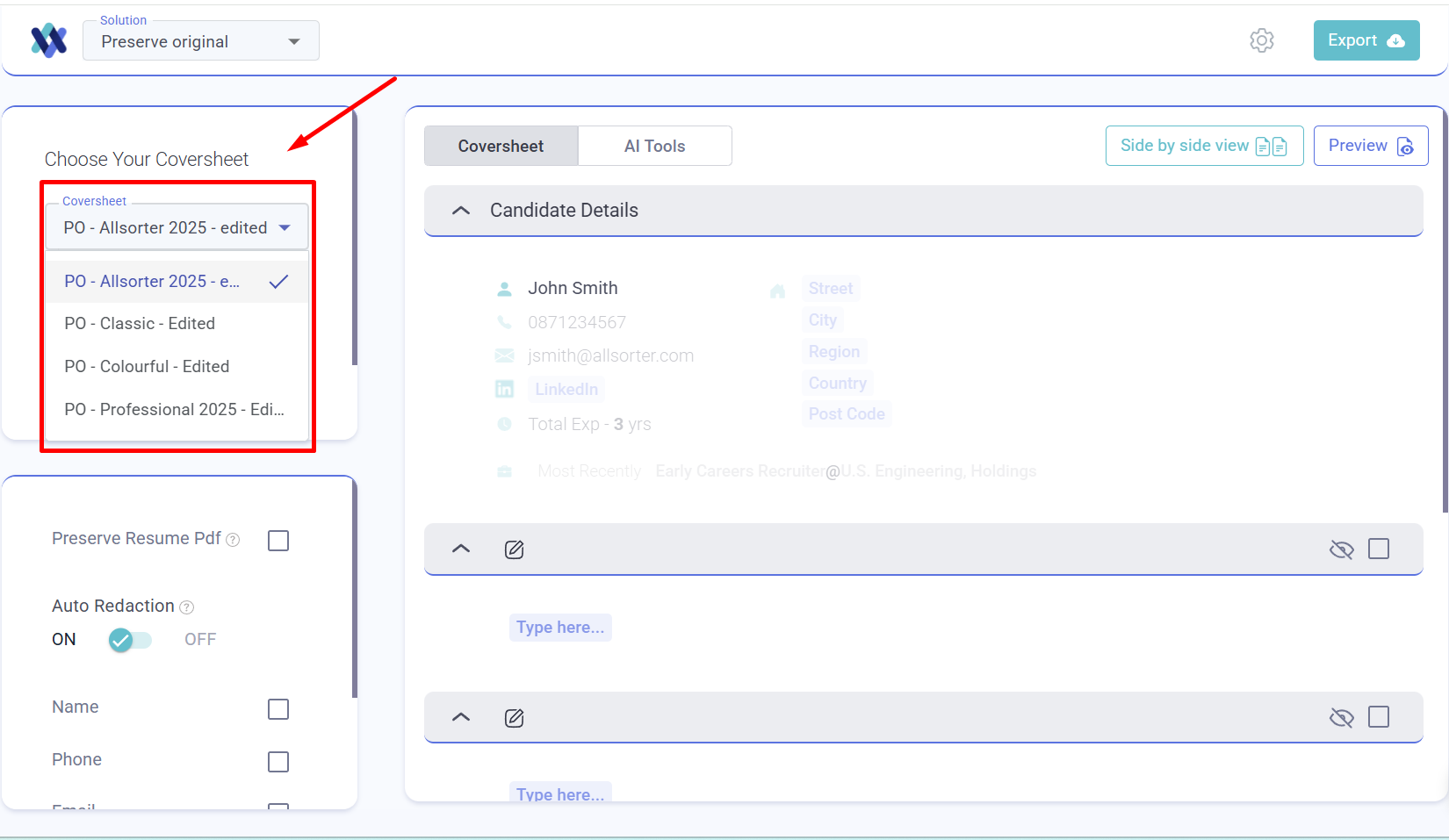
The list of available Preserve Original (PO) templates or coversheets can be found in the left dropdown menu in the Preserve Original solution. Choose the one you need to use, edit, preview and export.
If you cannot find a template that your colleagues are using, it may not be assigned to your user group in Allsorter. Please get in touch with your organisation admin (the main point of contact who manages the relationship with Allsorter) and request access.
Template Toggle for Filtering
The Template Toggle allows you to choose which templates are visible for your use, filtering out the ones you do not need. Toggling a template on means it will appear as an option when formatting a CV. If there are templates you do not regularly use, you can toggle them off to keep your workspace clean and focused. You can update this at any time based on your needs or preferences.